IPTV Brampton works on a Fire Stick, Smart TV, Android box, Apple TV or phone: install a player app, enter the login that IPTV Racoon TV 2026 sends you, and your channels load in minutes on a home connection of about 10 Mbps for HD or 25 Mbps for 4K. That is the whole job. The steps below take you through it in order, with fixes for the problems that show up most.
How do I set up IPTV on my TV in Brampton?
Work through these steps in order. Most homes finish in one sitting.
- Choose the device. Pick the screen you watch most. If you already have a Smart TV, an Amazon Fire Stick or a smartphone, you need no extra hardware.
- Get the free 2-hour test. Message IPTV Racoon TV 2026 on WhatsApp. You get a test login and a short setup clip, and no card is needed.
- Install a player app. Open the app store on your device, search for a player app and install it. The app works on Android, iOS, Windows, Mac and Linux, and through a browser too.
- Enter your login. The details arrive by email or WhatsApp. Type them into the app exactly as sent.
- Check the channel list and the guide time. Scroll through the list, then open the guide. If a show starts at the wrong hour, fix the time setting on your device before you blame the service.
- Test where you watch. Play a channel on the TV in the room where it actually sits, not on a phone beside the router.
Stuck at any step? Support answers 24/7 on WhatsApp, Telegram and email, and free remote setup is part of the help.
IPTV in Brampton: which devices and connections work
The device list is wide. Local providers name the Fire Stick, Android TV, Smart TV, Apple TV, Android box, MAG, Windows, Mac, iPhone and Android phones, and Roku and Magbox show up on those lists too. Whatever sits under your TV is probably fine.
Your internet provider matters less than your speed. An existing high-speed plan from Rogers, Bell or TekSavvy works. Aim for about 10 Mbps per HD stream and 25 Mbps for 4K. 4K only appears when the channel itself is broadcast in 4K, and most other channels arrive in FHD or HD.
Smart IPTV Canada on a Smart TV or Fire Stick
Start here. Install the player app from the store on the TV or stick, sign in with your login and you are done. A Fire Stick suits an older TV that has no apps. MAG and Formuler boxes are sold in Canada if you want a dedicated one, but you do not need it to begin.
Phones, PCs and Apple TV in the same home
Phones, laptops and Apple TV use the same login in a player app. Count your screens before you order, because a shared living room TV plus two phones streaming at once can need three connections. Check whether use across different networks is allowed, too. IPTV Racoon TV 2026 plans cover 1, 2 or 3 screens at the same time, each on its own channel.
Why does my picture freeze, and is my router to blame?
Often, yes. Freezing usually traces back to a weak Wi-Fi signal at the TV rather than the service itself. These checks sort it out fast.
- Run a cable to the main TV. A short Ethernet cable from the router gives the steadiest picture, especially for 4K and for live NHL or CFL games.
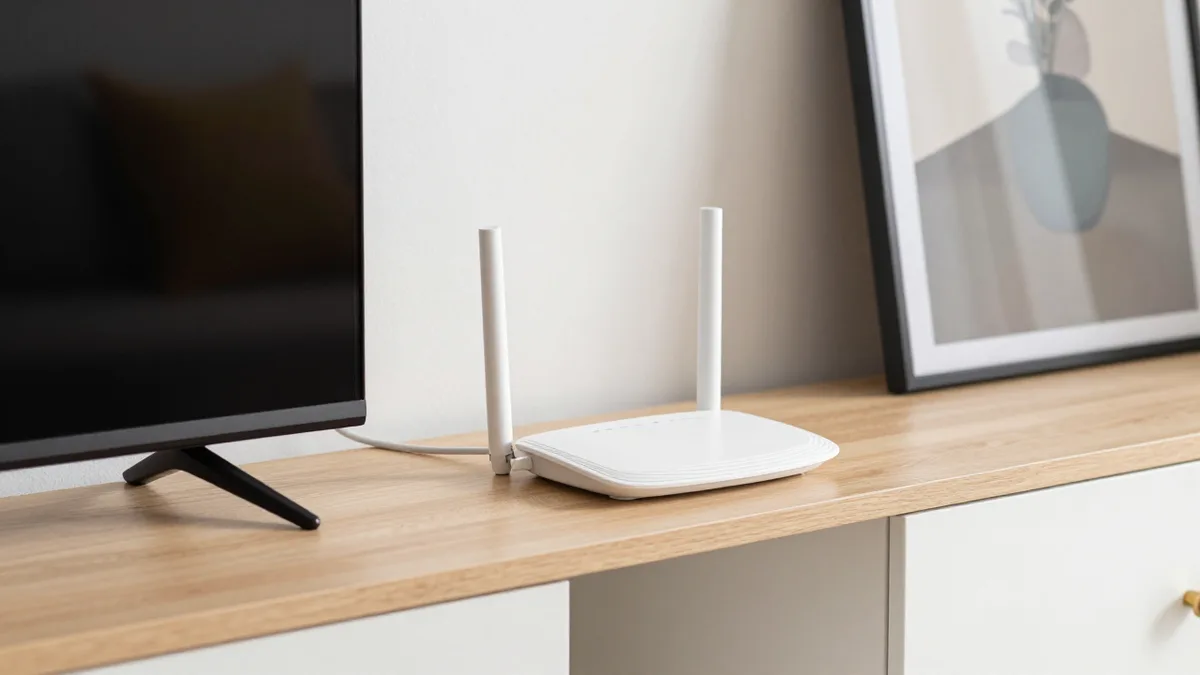
- Move the router. Put it out in the open, off the floor and away from the microwave and thick walls.
- Check your speed targets. You need about 10 Mbps for HD and 25 Mbps for 4K, per screen being watched.
- Test where the TV sits. A phone speed test next to the router tells you nothing about the far bedroom. Play a channel on the TV itself and watch for a few minutes.
- Count what else is running. Game downloads, video calls and a second stream all share the same line.
Still stuttering on a wired TV with enough speed? Message support. The team steps in first, around the clock.
IPTV Racoon TV 2026 plans and prices in Brampton
Every IPTV Racoon TV 2026 plan includes the same content: 35,000+ live channels and 110,000+ movies and series. You only choose the length and the number of screens, then pay once. Nothing renews by itself, and activation is instant. Prices are in CAD.
| Length | 1 screen | 2 screens | 3 screens |
|---|---|---|---|
| 1 month | $32.99 | $59.99 | $88.99 |
| 3 months | $48.99 | $89.99 | $136.99 |
| 6 months | $64.99 | $119.99 | $177.99 |
| 12 months | $96.99 | $177.99 | $273.99 |
Choosing a plan for one screen or several
Living alone, or only the main TV? One screen is enough, and 12 months works out to about $8 a month. A couple watching in two rooms fits the 2-screen plan, at about $14.83 a month over 12 months. A family with a TV, a tablet and a phone running together should look at 3 screens: about $22.83 a month over 12 months. Longer plans cost less per month, so test first, then commit to a longer plan.
IPTV services Canada: what the trial and support include
The 2-hour test runs on your own TV with no card, so check every channel you care about first. Every new plan also carries a 7-day money-back guarantee: if the service cannot run on your device despite the team's help, the whole amount comes back. Support is in English and French on WhatsApp, Telegram and email, and you can reach the 24/7 support team at any hour.
Is IPTV Canada premium worth trying in Brampton this year?
Yes, if the test goes well on your own screen. Use the two hours with a short checklist:
- Open Sportsnet and TSN and watch a live game. Sports run at 60 fps.
- Check your CBC, CTV and local channels.
- Find the NHL and CFL games you follow.
- Try catch-up on a channel you watch often. Some providers advertise rewinding live channels for up to 7 days, so ask support what your plan gives you.
- Try it at the hour you usually watch, when the home network is busiest.
If it all plays cleanly, order. If something does not run, support helps first, and the guarantee covers you after that. Start with the free test, then compare the current IPTV Racoon TV plans and CAD prices once you have seen it work.
Your questions about IPTV in Brampton, answered
Does IPTV work with my Brampton internet provider and what speed do I need?
It works with an existing high-speed plan from Rogers, Bell or TekSavvy. Plan on about 10 Mbps for HD and 25 Mbps for 4K on each screen you use.
Which devices work with IPTV: Fire Stick, Smart TV, Android box, Apple TV, MAG or Roku?
All of them are commonly used, along with Android TV, Windows, Mac, iPhone and Android phones. Install a player app and enter your login. A Smart TV, Fire Stick or smartphone you already own needs no extra hardware.
How many devices or screens can I use at the same time?
IPTV Racoon TV 2026 plans cover 1, 2 or 3 screens at the same time, each on its own channel. Count phones and tablets as screens when they stream together with the TV.
Why does my IPTV buffer or freeze, and is my Wi-Fi or router the cause?
Weak Wi-Fi at the TV is the most common cause. Run a cable from the router to the main TV, move the router into the open, and test playback on the TV itself rather than next to the router.
Is there a free trial, and how fast does activation happen?
Yes. Message IPTV Racoon TV 2026 on WhatsApp for a free 2-hour test on your own screen, with no card needed. Activation on paid plans is instant.